

Source Like A Local
Hello all you entrepreneurs , This will be our first post ever and we want to start off by posting some China sourcing tips for everyone and add value to everybody’s time when checking out our site.
We have here a awesome five-minute trick to let you see the real wholesale pricing a local China business would pay in China to buy merchandise. We are sure most of you are Internet savvy and can find some really interesting results by using ten minutes of your time.
This trick can also apply to niche hunting or trying to source new product. So here we go ………….
First of all open up 2 browser windows
First browser window- https://translate.google.com
Second browser window – https://www.1688.com/
Google translate is pretty self-explanatory, we need this little bad boy to help us translate some simple English into Chinese so we can tap into the Chinese website.
As for the second site 1688 – this is the Chinese version of Alibaba , this is where the sellers in the English Alibaba and Ali Express buy their things. You can really find some hidden gems on this site if you know where to look. Keep in mind what we’re doing right now is for research purposes only. If you are able to find a way to communicate and buy from them ,that’s awesome. But we are mainly going to focus on using this as a tool for product research .
Now we are going to transform into step-by-step instructions to make this easy for everyone. Start the five-minute countdown ………….. right about NOW !
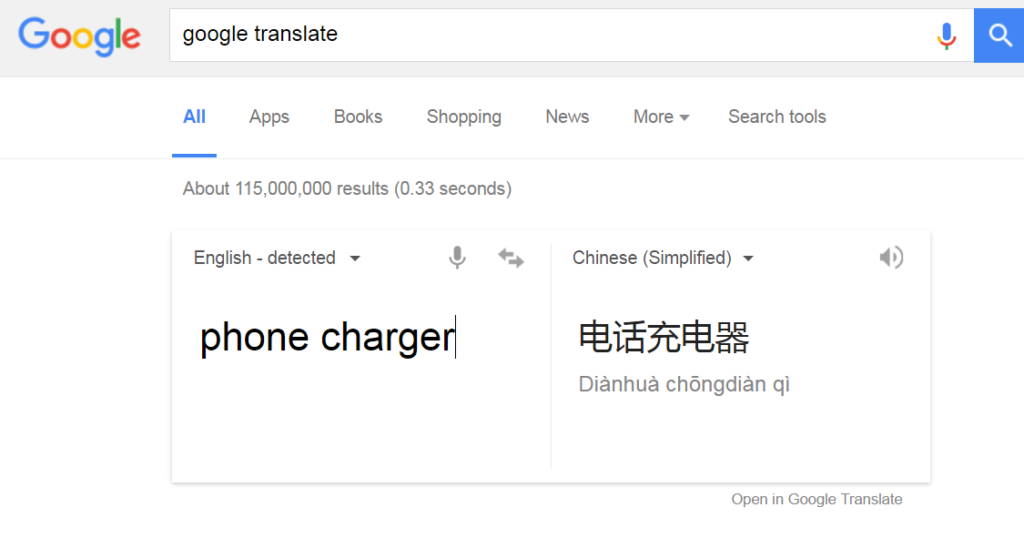
1.) Use Google translate and type in your niche in the English part , then translate into Chinese using the option Chinese (simplified) , the Chinese translation of your word should appear
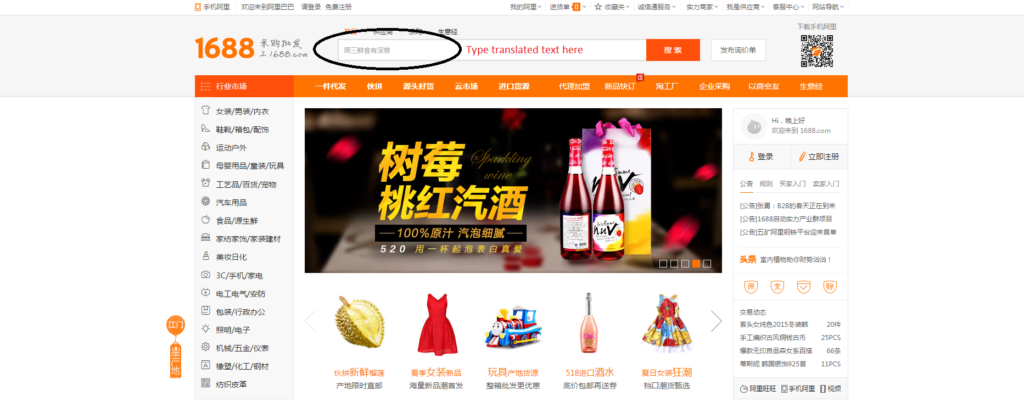
2.) Open up the second browser – and get into 1688.com , and get that translated text into the search box
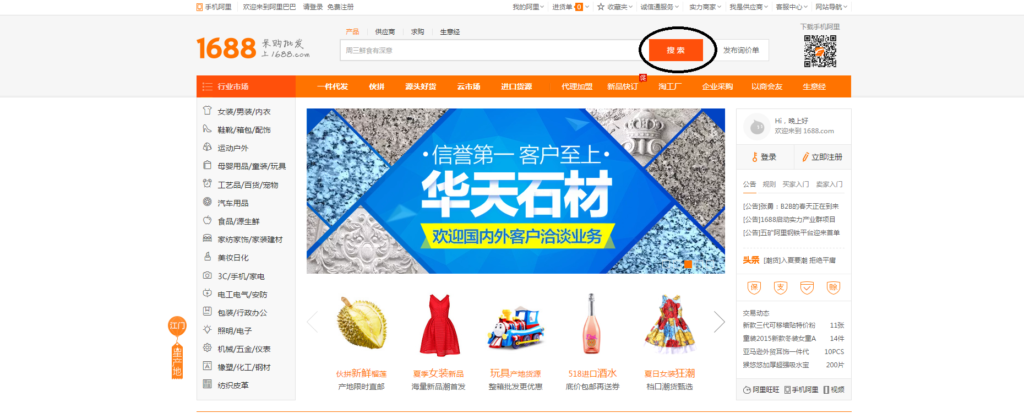
3.) Typing the Chinese word in the search bar ,, and click the orange” search for ” button (that’s what came up when I translated the page from Chinese to English)
4.) See what comes up
if you are lucky and Google translate actually did a good job , you should be able to see products instantly that are related to your search term. If nothing relevant comes up, it’s usually because Google translate is a bot and can have issues.
If that happens , try translating another similar term in English or any other keyword that may be relevant to your niche.
Here are some other fun things you could do
1.) The translated version can be hard to decipher because it’s all jumbled up , it would be wise to open up the regular Chinese page plus the translated page together , you can actually browse from the Chinese version , but use the translated version as a reference to guide you through the site.
2.) On the main page , all the different categories on the left , if you don’t have a specific niche or search term , you can just choose the categories and keep going deeper into subcategories to find something interesting.

3.) If you scroll down on the main page , once again there are categories shown with different subcategories , these are just as powerful as the categories on the left. So don’t miss out and check it out.
4.) For anyone using a virtual assistant in China , this is a good way to see if they are getting the best pricing for you.
We hope some of you can find some new and juicy pricing information or inspirations because of this post.
PL Concentrated
Let us know if this worked for you beneath in comments.!